If you want to use Launch X431 PRO3/Pro Mini/Diagun IV to program Car via Bluetooth, you might have to get a Bluetooth adapter. These three Launch X431 products each have their own Bluetooth adapters. Here give some using tips about how to use Bluetooth adapters.
 
How to use the new Bluetooth DBScar Adapter that you get ?
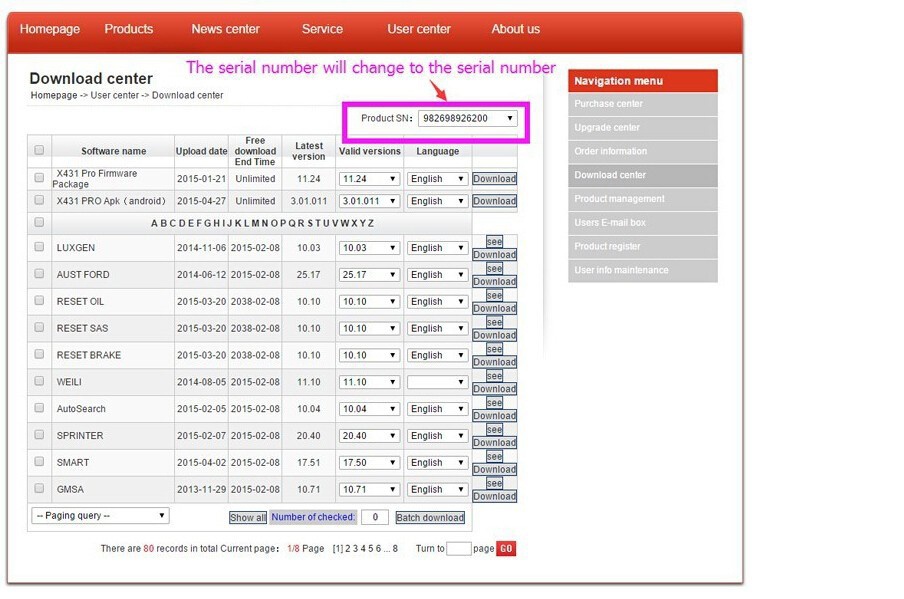
  • check the new serial number in the dbscar adapter, then check whether the serial number changed in your account or not first . If not , pls contact us immediately.

  • Update your X431 Pro Mini , then it can be used .

  •  
    Here comes the images of each Bluetooth adapters
    We don’t have the link to get the Bluetooth adapter only, contract us if you want to buy.
     
    Bluetooth adapter for Launch X431 PRO3 V +: 180USD
     
    Bluetooth adapter for Launch X431 PRO MINI: 180USD
     
    Bluetooth adapter for Launch X431 DiagunIV: 180USD
     
    Notes:
  • Bluetooth adapter sale without software, it must use with Launch X431 PRO3 or Pro Mini or Digun IV. Make sure you have one of them. Please send SN and picture to us when get the order.

  • We don’t have the signal link to purchase Bluetooth adapter, if you want to buy it, please contact us to get it. The Bluetooth adapter sale 180USD each.

  • If you have any question when using, please turn to us, we will help you.

  •  
    In order to get the Bluetooth connector as soon as possible, please check the info below.
  • Serial number (SN) of your Device;

  • Account name on Launch’s website www.dbscar.com;

  • A picture with clear SN . (backside of the main unit or Passkey paper, or a screenshot of SN on main unit)

  • OBDTOOLS 發表在 痞客邦 留言(0) 人氣()


    If you want to use Launch X431 PRO3/Pro Mini/Diagun IV to program Car via Bluetooth, you might have to get a Bluetooth adapter. These three Launch X431 products each have their own Bluetooth adapters. Here give some using tips about how to use Bluetooth adapters.
     
    How to use the new Bluetooth DBScar Adapter that you get ?
  • check the new serial number in the dbscar adapter, then check whether the serial number changed in your account or not first . If not , pls contact us immediately.

  • Update your X431 Pro Mini , then it can be used .

  •  
    Here comes the images of each Bluetooth adapters
    We don’t have the link to get the Bluetooth adapter only, contract us if you want to buy.
     
    Bluetooth adapter for Launch X431 PRO3 V +: 180USD
     
    Bluetooth adapter for Launch X431 PRO MINI: 180USD
     
    Bluetooth adapter for Launch X431 DiagunIV: 180USD
     
    Notes:
  • Bluetooth adapter sale without software, it must use with Launch X431 PRO3 or Pro Mini or Digun IV. Make sure you have one of them. Please send SN and picture to us when get the order.

  • We don’t have the signal link to purchase Bluetooth adapter, if you want to buy it, please contact us to get it. The Bluetooth adapter sale 180USD each.

  • If you have any question when using, please turn to us, we will help you.

  •  
    In order to get the Bluetooth connector as soon as possible, please check the info below.
  • Serial number (SN) of your Device;

  • Account name on Launch’s website www.dbscar.com;

  • A picture with clear SN . (backside of the main unit or Passkey paper, or a screenshot of SN on main unit)

  • OBDTOOLS 發表在 痞客邦 留言(0) 人氣()


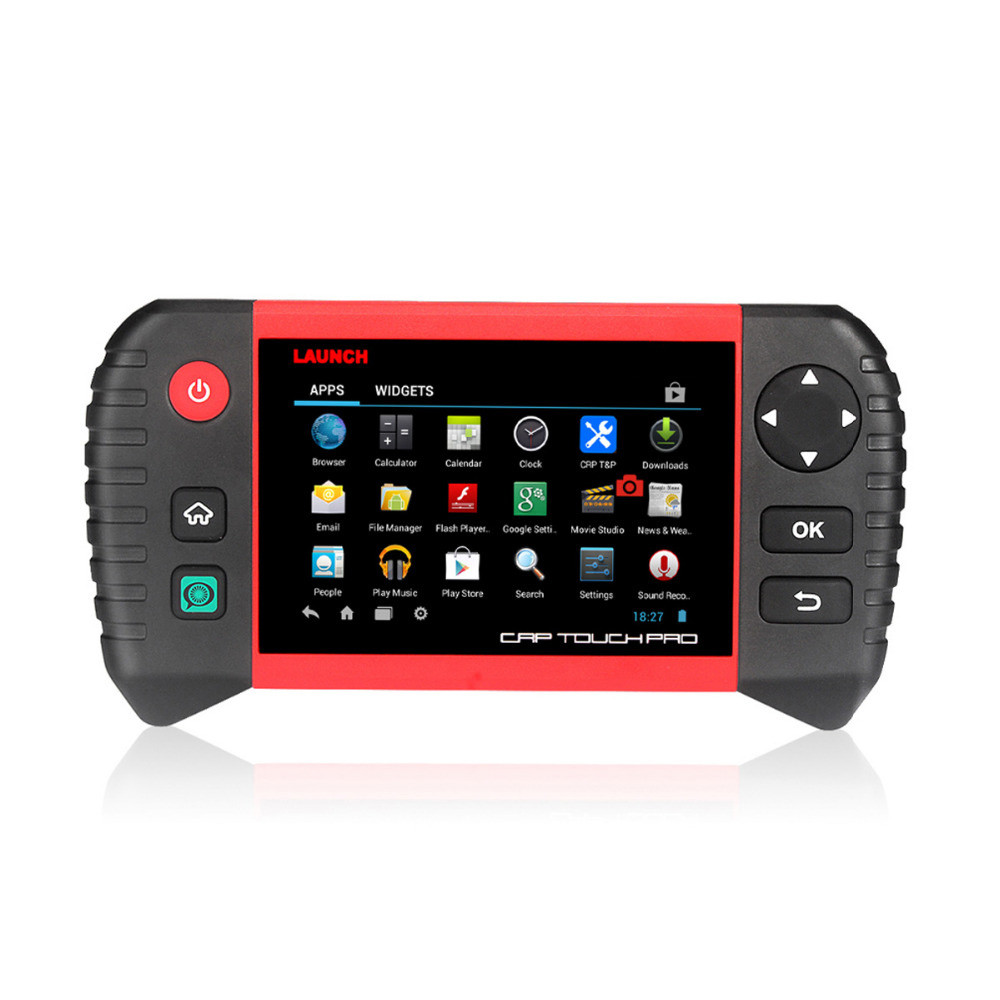
    Launch CRP Touch Pro support full system diagnosis and Oil /EPB /SAS/DPF /BMS Reset functions, what’s more, it is good choice for AU Ford and Holden. This blog mainly introduce Launch CRP Touch Pro full system diagnostic car list and special functions list

    1. Full system diagnostic
    This functions has its own car list.
    2. Oil \ EPB \ SAS\ DPF \ BMS Reset functions
    CRP Touch Pro Oil reset list:
    EPB reset:
    SAS reset:
    DPF reset:
    BMS reset:

    OBDTOOLS 發表在 痞客邦 留言(0) 人氣()


    Launch CRP Touch Pro support full system diagnosis and Oil /EPB /SAS/DPF /BMS Reset functions, what’s more, it is good choice for AU Ford and Holden. This blog mainly introduce Launch CRP Touch Pro full system diagnostic car list and special functions list

    1. Full system diagnostic
    This functions has its own car list.
    2. Oil \ EPB \ SAS\ DPF \ BMS Reset functions
    CRP Touch Pro Oil reset list:
    EPB reset:
    SAS reset:
    DPF reset:
    BMS reset:

    OBDTOOLS 發表在 痞客邦 留言(0) 人氣()


    I’ve collected all the useful coding tips from the BMW G series on the web and make a description here. I hope it helps.
     
    Q:  Is it possible to code BMW G-series and which software? E-sys is not possible?
    A:  Code the G series with  ESYS  . I think you need a Tokenmaster pro launcher. It was written somewhere on the forum but maybee you can ask Tokenmaster.
     
    Q: Have a good success if the coding of the G series?
    A:  I have successfully coded the G Series. You need Pro Launcher.
     
    Q:  Do we know if it is possible to code the G series?
    A:  Coding is possible with E-SYS, but the problem is CAFD mapped / trimmed on new ECUs. But for ECU excisting is not a problem (BDC_BODY, NBT2, ACSM etc.)
     
    Q: Can I code G11 with Esys?
    A:  I tried to code G11 today.
    My level I is S15A-16-07-506, used data 5.94.
    I found the S15A target in Esys.
    S15A psdzdata covers F090 / G001 / G002 / G011 / G012 / G030 / G031 / G032 / RR11 / RR12 / RR31
     
    Q:  Could you share with me the token and activation code of your launcher?
    R:  It’s not possible. The token and the activation code are valid for 1 PC only. Here is how it works: you ask Token Master, it sends a token, you install Launcher Pro with the token, Launcher generates the request code, you send it to Token Master, it sends you the activation code in response.
     
    Q: Which E-sys can be used for G-series coding?
    A:  E-Sys:
    S15A psdzdata covers G001 / G002 / G011 / G012 / G013 / G30 / G031 / G032
    S15C covers psdzdata G008 / G038
     
    Q: Which tool for the G series?
    A:  I am perfectly aware of what ICOM Next is and I have it.
    Icom   then runs a gigabyte LAN port. So, if the router and the laptop are also running Gigabyte ports you increase the speed, it’s only if the car and the software allow it.
    The next Icom is also faster for G Series cars that I also suspect have a gigabyte Ethernet bus.
    In addition, it has USB3.0 instead of USB2.0 and a better wifi card.
     
    Q: Which BMW ICOM can I use for G30?
    A  :  Any  icom will   work, but to be safe with Series I vehicles, use a dedicated router because kafas huh and some other modules will crash if you do not use a router it handles switches for ethernet like these modules use more than one path way, in short, it uses all 4 wires of two pairs and without router not good, it has worked for me for quite some time now good luck. note that my router does not connect to wan
     
    Q:  Which tool is used for the G30 flash or coding?
    A  :  Flashed all cars with Icom Next and Aos Online with DHCP on the router. Since I never have any problem with NBT or other. Flash E / F / G with this configuration.
    Note that Online Aos is the online version of BMW software for diagnostics, programming many other things.
     
    Q: How to do G30 coding?
    A:  BMW G30 has a lot of differences in ECU, so I wanted to share my discoveries here.
     
    Note:
    – This is not a complete list of options but options that are unique from the standard options on recent models.
    – SVT Play does not work, use Read ECU instead.
    – Make sure the vehicle engine is running before pressing the Read ECU button, otherwise you will not get the full list of ECUs.
     
    ECU: SAS [Driver Assistance Systems]
     
    Default distance ACC: C_Abstandsstufe_init -> Set to 2
     
    Blind spot detection: Note that the G30 has several blind spot detection modules and you must set the Speed ​​setting for each. For each radar module, there is a separate KMH and MPH setting, so 6 in total.
     
    for example
    C_LCA_SWW_Vmin_KMH – set at 55 km / h
    C_LCA_SWW_Vmin_MPH – set to option 0 (Werte 22)
     
    ECU: HU_NBT [Main unit]
     
    G30 has a hardware limitation and max Video-In-Motion you can get via E-sys is 63 km / h (about 39 mph). After following the standard VIM coding, make sure that
     
    SPEEDLOCK_SPEEDVALUE_MIN: Werte = 1F
    SPEEDLOCK_SPEEDVALUE_MAX: Werte = 3F
     
    ECU: DKOMBI [Instrument Group]
     
    Delete HUD Speed ​​Limit Panel: HUD_SPEED_LIMIT_ENABLE DKOMBI
     
    ECU: IHKA [Climate Control] – Not tested
     
    This coding value determines whether the previous settings (last function) should be used when switching from Auto mode to manual mode, in manual mode, or whether the “Auto” settings should be used when changing from car mode to manual mode .
     
    LAST_FCT_AUTO_MAN
    Default: AKTIV (Active) = 01
     
    HO coding to be able to manipulate the frontal adjustment of the ventilation (if necessary, in the case of special requests from large-scale customers)
     
    3003 -> VERTRIMMUNG_BEL_FRONT (Front side)
    keine = 00
     
    3003 -> VERTRIMMUNG_FUSS_FRONT (Front feet)
    keine = 00
     
    OPTIONS
    keine = 00 (No)
    Kaelter = 01 (colder)
    waermer = 02 (warmer)
     
    ECU: BDC_Body -> 1DF7 – Comfort Access Settings
     
    3514 PMaster has access to related parameters
     
    ECU: ACSM – Security Parameters
    Settings for seat belt reminders and others

    OBDTOOLS 發表在 痞客邦 留言(0) 人氣()


    I’ve collected all the useful coding tips from the BMW G series on the web and make a description here. I hope it helps.
     
    Q:  Is it possible to code BMW G-series and which software? E-sys is not possible?
    A:  Code the G series with  ESYS  . I think you need a Tokenmaster pro launcher. It was written somewhere on the forum but maybee you can ask Tokenmaster.
     
    Q: Have a good success if the coding of the G series?
    A:  I have successfully coded the G Series. You need Pro Launcher.
     
    Q:  Do we know if it is possible to code the G series?
    A:  Coding is possible with E-SYS, but the problem is CAFD mapped / trimmed on new ECUs. But for ECU excisting is not a problem (BDC_BODY, NBT2, ACSM etc.)
     
    Q: Can I code G11 with Esys?
    A:  I tried to code G11 today.
    My level I is S15A-16-07-506, used data 5.94.
    I found the S15A target in Esys.
    S15A psdzdata covers F090 / G001 / G002 / G011 / G012 / G030 / G031 / G032 / RR11 / RR12 / RR31
     
    Q:  Could you share with me the token and activation code of your launcher?
    R:  It’s not possible. The token and the activation code are valid for 1 PC only. Here is how it works: you ask Token Master, it sends a token, you install Launcher Pro with the token, Launcher generates the request code, you send it to Token Master, it sends you the activation code in response.
     
    Q: Which E-sys can be used for G-series coding?
    A:  E-Sys:
    S15A psdzdata covers G001 / G002 / G011 / G012 / G013 / G30 / G031 / G032
    S15C covers psdzdata G008 / G038
     
    Q: Which tool for the G series?
    A:  I am perfectly aware of what ICOM Next is and I have it.
    Icom   then runs a gigabyte LAN port. So, if the router and the laptop are also running Gigabyte ports you increase the speed, it’s only if the car and the software allow it.
    The next Icom is also faster for G Series cars that I also suspect have a gigabyte Ethernet bus.
    In addition, it has USB3.0 instead of USB2.0 and a better wifi card.
     
    Q: Which BMW ICOM can I use for G30?
    A  :  Any  icom will   work, but to be safe with Series I vehicles, use a dedicated router because kafas huh and some other modules will crash if you do not use a router it handles switches for ethernet like these modules use more than one path way, in short, it uses all 4 wires of two pairs and without router not good, it has worked for me for quite some time now good luck. note that my router does not connect to wan
     
    Q:  Which tool is used for the G30 flash or coding?
    A  :  Flashed all cars with Icom Next and Aos Online with DHCP on the router. Since I never have any problem with NBT or other. Flash E / F / G with this configuration.
    Note that Online Aos is the online version of BMW software for diagnostics, programming many other things.
     
    Q: How to do G30 coding?
    A:  BMW G30 has a lot of differences in ECU, so I wanted to share my discoveries here.
     
    Note:
    – This is not a complete list of options but options that are unique from the standard options on recent models.
    – SVT Play does not work, use Read ECU instead.
    – Make sure the vehicle engine is running before pressing the Read ECU button, otherwise you will not get the full list of ECUs.
     
    ECU: SAS [Driver Assistance Systems]
     
    Default distance ACC: C_Abstandsstufe_init -> Set to 2
     
    Blind spot detection: Note that the G30 has several blind spot detection modules and you must set the Speed ​​setting for each. For each radar module, there is a separate KMH and MPH setting, so 6 in total.
     
    for example
    C_LCA_SWW_Vmin_KMH – set at 55 km / h
    C_LCA_SWW_Vmin_MPH – set to option 0 (Werte 22)
     
    ECU: HU_NBT [Main unit]
     
    G30 has a hardware limitation and max Video-In-Motion you can get via E-sys is 63 km / h (about 39 mph). After following the standard VIM coding, make sure that
     
    SPEEDLOCK_SPEEDVALUE_MIN: Werte = 1F
    SPEEDLOCK_SPEEDVALUE_MAX: Werte = 3F
     
    ECU: DKOMBI [Instrument Group]
     
    Delete HUD Speed ​​Limit Panel: HUD_SPEED_LIMIT_ENABLE DKOMBI
     
    ECU: IHKA [Climate Control] – Not tested
     
    This coding value determines whether the previous settings (last function) should be used when switching from Auto mode to manual mode, in manual mode, or whether the “Auto” settings should be used when changing from car mode to manual mode .
     
    LAST_FCT_AUTO_MAN
    Default: AKTIV (Active) = 01
     
    HO coding to be able to manipulate the frontal adjustment of the ventilation (if necessary, in the case of special requests from large-scale customers)
     
    3003 -> VERTRIMMUNG_BEL_FRONT (Front side)
    keine = 00
     
    3003 -> VERTRIMMUNG_FUSS_FRONT (Front feet)
    keine = 00
     
    OPTIONS
    keine = 00 (No)
    Kaelter = 01 (colder)
    waermer = 02 (warmer)
     
    ECU: BDC_Body -> 1DF7 – Comfort Access Settings
     
    3514 PMaster has access to related parameters
     
    ECU: ACSM – Security Parameters
    Settings for seat belt reminders and others

    OBDTOOLS 發表在 痞客邦 留言(0) 人氣()

    cummins-insite-8-20-pro-02

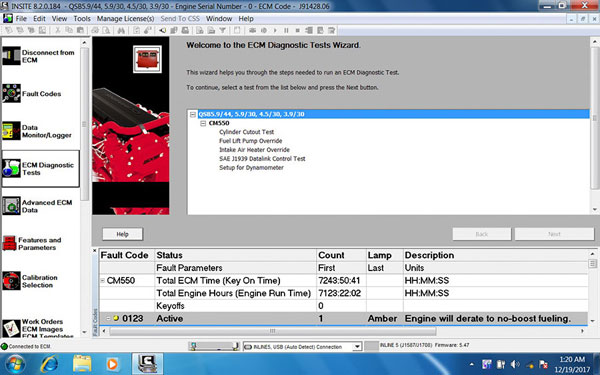
    Here are the step-by-step guides on installing & activating Cummins Insite 8.2.0.184 Pro version and Lite (Count) version on Windows 10 (including patch download).
     
    Software version: 8.2.0.184
     
    Difference between insite 8.2 Pro version and Lite Version:
    Pro version including all function of Lite version, and also including Automotive Calibrations Data Cummins INCAL and Reflash ECU data, read & write ECU
     
    Multi-language available: English(united states)/Chinese(simplified)/Danish/Dutch/Finnish/French/German/Italian/Japanese/Korean/Norwegian/Portuguese/Russian/Spanish/Swedish/Turkish
     
    Compatible truck diagnostic tools:
    1.Cummins INLINE 6 Data Link Adapter
    2.Cummins INLINE 5 Data Link Adapter
    3.DPA5 Dearborn Protocol Adapter 5 Heavy Duty Truck Scanner
    4.NEXIQ USB Link
    5.XTruck USB Link
    6.AUGOCOM H8 Truck Diagnostic Tool
     
     
    Operating system: Windows 7-Windows 10
    Windows 10 you should disable anti-virus program and run software as administrator. 
     
    Part 1: Install & Activate Cummins INSITE 8.2.0 Lite version
     
    First you need to download patch for Lite version
    Cummins insite 8.2.0 lite patch
     
    Step 1: Install INSITE 820 Lite software
    Open software folder
    Extract INSITE8.20.184 zip file to desktop
    Open INSITE8.20.184 folder
    Open autorun
    Select Manual Install Options->Required Installs->Install INSITE
    Select INSITE language
    Install Microsoft.NET Framework 4.5 Full
    Install INSITE Data Pack
    Accept INSITE Data Pack license agreement
    Click Next
    Finish Install data pack
    Install INSITE CSS Service
    Click Next
    Verify PC date and time.
    INSITE contains features which are dependent upon an accurete PC date and time. Please verify that
    the date and time settings are correct before continuing the installation.
    Tick “I have verified hat the date and time settings are correct”
    Click Next
    Accept license agreement
    Click Install
    Finish install INSITE software
    This will generate Cummins INSITE software on desktop
     
    Step 2: Activate INSITE 8.2 Lite version
    Run Cummins INSITE software as administrator (very important)
    Accept 2 license agreements
    Select Simulator Mode
    Exit INSITE software
    Delete all files on desktop
    Download INSITE 820 Count patch above and paste it to desktop
    Run “820 Count” file and send the SN (hardware ID) to your dealer
    Dealer will send you user name and activation key
    Enter user name and activate here
    Click on Register
    Registration success. Now you can use Cummins Insite Lite version.
     
    Part II: Install & Activate Cummins INSITE 8.2.0 Pro version
     
    First you need to download patch for activation as well
    Cummins insite 8.2.0 pro patch
    Step 1: Install INSITE Pro software
    Extract INSITE8.20.184 pro zip file to desktop
    Open INSITE8.20.184 folder
    Open autorun
    Select Manual Install Options->Required Installs->Install INSITE
    Select INSITE language
    Install Microsoft.NET Framework 4.5 Full
    Install INSITE Data Pack
    Accept INSITE Data Pack license agreement
    Click Next
    Finish Install wizard
    Install INSITE CSS Service
    Click Next
    Click Next
    Verify PC date and time.
    INSITE contains features which are dependent upon an accurete PC date and time. Please verify that
    the date and time settings are correct before continuing the installation.
    Tick “I have verified hat the date and time settings are correct”
    Click Next
    Accept license agreement
    Click Install
    Finish install INSITE software
     
    Step 2: Activate INSITE 8.2.0 Pro verison
    Run Cummins INSITE software as administrator (very important)
    Accept 2 license agreements
    Select Simulator Mode
    Exit INSITE sofware
    Delete all files on desktop
    Download Cummins INSITE 8.2.0 pro pacth and paste it on desktop
    Run “820 Pro” file and send the SN to the dealer
    Dealer will send you User name and register key
    Paste user name and register key here.
    Now you have activated the INSITE Pro software.
    Start using the software.

    OBDTOOLS 發表在 痞客邦 留言(0) 人氣()

    cummins-insite-8-20-pro-02

    Here are the step-by-step guides on installing & activating Cummins Insite 8.2.0.184 Pro version and Lite (Count) version on Windows 10 (including patch download).
     
    Software version: 8.2.0.184
     
    Difference between insite 8.2 Pro version and Lite Version:
    Pro version including all function of Lite version, and also including Automotive Calibrations Data Cummins INCAL and Reflash ECU data, read & write ECU
     
    Multi-language available: English(united states)/Chinese(simplified)/Danish/Dutch/Finnish/French/German/Italian/Japanese/Korean/Norwegian/Portuguese/Russian/Spanish/Swedish/Turkish
     
    Compatible truck diagnostic tools:
    1.Cummins INLINE 6 Data Link Adapter
    2.Cummins INLINE 5 Data Link Adapter
    3.DPA5 Dearborn Protocol Adapter 5 Heavy Duty Truck Scanner
    4.NEXIQ USB Link
    5.XTruck USB Link
    6.AUGOCOM H8 Truck Diagnostic Tool
     
     
    Operating system: Windows 7-Windows 10
    Windows 10 you should disable anti-virus program and run software as administrator. 
     
    Part 1: Install & Activate Cummins INSITE 8.2.0 Lite version
     
    First you need to download patch for Lite version
    Cummins insite 8.2.0 lite patch
     
    Step 1: Install INSITE 820 Lite software
    Open software folder
    Extract INSITE8.20.184 zip file to desktop
    Open INSITE8.20.184 folder
    Open autorun
    Select Manual Install Options->Required Installs->Install INSITE
    Select INSITE language
    Install Microsoft.NET Framework 4.5 Full
    Install INSITE Data Pack
    Accept INSITE Data Pack license agreement
    Click Next
    Finish Install data pack
    Install INSITE CSS Service
    Click Next
    Verify PC date and time.
    INSITE contains features which are dependent upon an accurete PC date and time. Please verify that
    the date and time settings are correct before continuing the installation.
    Tick “I have verified hat the date and time settings are correct”
    Click Next
    Accept license agreement
    Click Install
    Finish install INSITE software
    This will generate Cummins INSITE software on desktop
     
    Step 2: Activate INSITE 8.2 Lite version
    Run Cummins INSITE software as administrator (very important)
    Accept 2 license agreements
    Select Simulator Mode
    Exit INSITE software
    Delete all files on desktop
    Download INSITE 820 Count patch above and paste it to desktop
    Run “820 Count” file and send the SN (hardware ID) to your dealer
    Dealer will send you user name and activation key
    Enter user name and activate here
    Click on Register
    Registration success. Now you can use Cummins Insite Lite version.
     
    Part II: Install & Activate Cummins INSITE 8.2.0 Pro version
     
    First you need to download patch for activation as well
    Cummins insite 8.2.0 pro patch
    Step 1: Install INSITE Pro software
    Extract INSITE8.20.184 pro zip file to desktop
    Open INSITE8.20.184 folder
    Open autorun
    Select Manual Install Options->Required Installs->Install INSITE
    Select INSITE language
    Install Microsoft.NET Framework 4.5 Full
    Install INSITE Data Pack
    Accept INSITE Data Pack license agreement
    Click Next
    Finish Install wizard
    Install INSITE CSS Service
    Click Next
    Click Next
    Verify PC date and time.
    INSITE contains features which are dependent upon an accurete PC date and time. Please verify that
    the date and time settings are correct before continuing the installation.
    Tick “I have verified hat the date and time settings are correct”
    Click Next
    Accept license agreement
    Click Install
    Finish install INSITE software
     
    Step 2: Activate INSITE 8.2.0 Pro verison
    Run Cummins INSITE software as administrator (very important)
    Accept 2 license agreements
    Select Simulator Mode
    Exit INSITE sofware
    Delete all files on desktop
    Download Cummins INSITE 8.2.0 pro pacth and paste it on desktop
    Run “820 Pro” file and send the SN to the dealer
    Dealer will send you User name and register key
    Paste user name and register key here.
    Now you have activated the INSITE Pro software.
    Start using the software.

    OBDTOOLS 發表在 痞客邦 留言(0) 人氣()


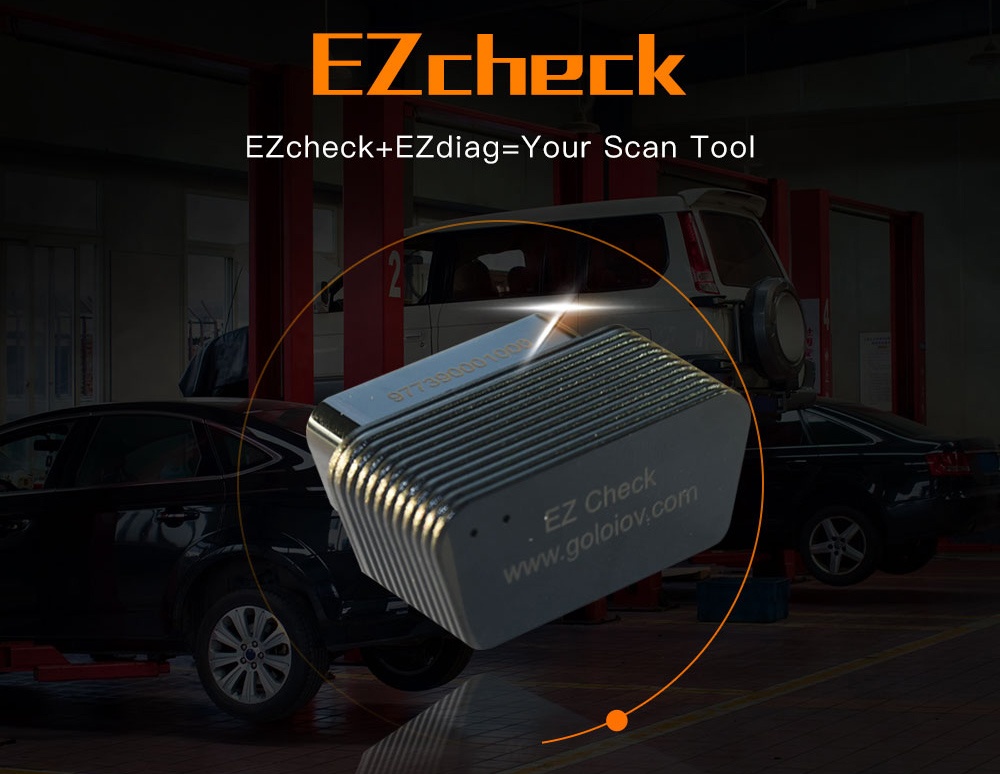
    There is a new powerful scanner released by Launch called Launch GOLO EZcheck which could connect to your iPhone / Android Phone. It turns your iphone or Android phone into a powerful and professional OBD2 Scanner which helps you to save time and money before going to workshop.

     
    How does Launch GOLO EZcheck work?
    Golo EZcheck is a plug-and-play scanner, once plugged into your vehicle’s 16pin OBDII DLC, the unit will power up and prompt you to start your ignition and access to engine control units, if your vehicle has a Check Engine Light on, EZcheck can read the error codes, find out what the problem is, and perhaps fix it.
    GOLO EZcheck Functions:
  • Easily determines the cause of the “Check Engine Light (MIL)”.

  • Reads hard (memory)/pending (intermittent) and historic codes and show definitions.

  • Turns off Check Engine Light (MIL), clears codes and resets monitors.

  • I/M monitor readiness test.

  • Retrieves vehicle information (VIN).

  • Read data stream

  • GOLO EZcheck Car Repair Report
    It provides a professional car repair report for specific DTCs.
    GOLO EZcheck vehicle coverage:
    Works on most 1996 US-based, 2000 EU-based and Asian cars and newer OBDII & CAN vehicles
     
    NOTE:
    * Works on 12V vehicle battery ONLY
    *  Must be 16 PIN OBD II protocol
     

    OBDTOOLS 發表在 痞客邦 留言(0) 人氣()


    There is a new powerful scanner released by Launch called Launch GOLO EZcheck which could connect to your iPhone / Android Phone. It turns your iphone or Android phone into a powerful and professional OBD2 Scanner which helps you to save time and money before going to workshop.

     
    How does Launch GOLO EZcheck work?
    Golo EZcheck is a plug-and-play scanner, once plugged into your vehicle’s 16pin OBDII DLC, the unit will power up and prompt you to start your ignition and access to engine control units, if your vehicle has a Check Engine Light on, EZcheck can read the error codes, find out what the problem is, and perhaps fix it.
    GOLO EZcheck Functions:
  • Easily determines the cause of the “Check Engine Light (MIL)”.

  • Reads hard (memory)/pending (intermittent) and historic codes and show definitions.

  • Turns off Check Engine Light (MIL), clears codes and resets monitors.

  • I/M monitor readiness test.

  • Retrieves vehicle information (VIN).

  • Read data stream

  • GOLO EZcheck Car Repair Report
    It provides a professional car repair report for specific DTCs.
    GOLO EZcheck vehicle coverage:
    Works on most 1996 US-based, 2000 EU-based and Asian cars and newer OBDII & CAN vehicles
     
    NOTE:
    * Works on 12V vehicle battery ONLY
    *  Must be 16 PIN OBD II protocol
     

    OBDTOOLS 發表在 痞客邦 留言(0) 人氣()


    There is a new powerful scanner released by Launch called Launch GOLO EZcheck which could connect to your iPhone / Android Phone. It turns your iphone or Android phone into a powerful and professional OBD2 Scanner which helps you to save time and money before going to workshop.

     
    How does Launch GOLO EZcheck work?
    Golo EZcheck is a plug-and-play scanner, once plugged into your vehicle’s 16pin OBDII DLC, the unit will power up and prompt you to start your ignition and access to engine control units, if your vehicle has a Check Engine Light on, EZcheck can read the error codes, find out what the problem is, and perhaps fix it.
    GOLO EZcheck Functions:
  • Easily determines the cause of the “Check Engine Light (MIL)”.

  • Reads hard (memory)/pending (intermittent) and historic codes and show definitions.

  • Turns off Check Engine Light (MIL), clears codes and resets monitors.

  • I/M monitor readiness test.

  • Retrieves vehicle information (VIN).

  • Read data stream

  • GOLO EZcheck Car Repair Report
    It provides a professional car repair report for specific DTCs.
    GOLO EZcheck vehicle coverage:
    Works on most 1996 US-based, 2000 EU-based and Asian cars and newer OBDII & CAN vehicles
     
    NOTE:
    * Works on 12V vehicle battery ONLY
    *  Must be 16 PIN OBD II protocol
     

    OBDTOOLS 發表在 痞客邦 留言(0) 人氣()


    There is a new powerful scanner released by Launch called Launch GOLO EZcheck which could connect to your iPhone / Android Phone. It turns your iphone or Android phone into a powerful and professional OBD2 Scanner which helps you to save time and money before going to workshop.

     
    How does Launch GOLO EZcheck work?
    Golo EZcheck is a plug-and-play scanner, once plugged into your vehicle’s 16pin OBDII DLC, the unit will power up and prompt you to start your ignition and access to engine control units, if your vehicle has a Check Engine Light on, EZcheck can read the error codes, find out what the problem is, and perhaps fix it.
    GOLO EZcheck Functions:
  • Easily determines the cause of the “Check Engine Light (MIL)”.

  • Reads hard (memory)/pending (intermittent) and historic codes and show definitions.

  • Turns off Check Engine Light (MIL), clears codes and resets monitors.

  • I/M monitor readiness test.

  • Retrieves vehicle information (VIN).

  • Read data stream

  • GOLO EZcheck Car Repair Report
    It provides a professional car repair report for specific DTCs.
    GOLO EZcheck vehicle coverage:
    Works on most 1996 US-based, 2000 EU-based and Asian cars and newer OBDII & CAN vehicles
     
    NOTE:
    * Works on 12V vehicle battery ONLY
    *  Must be 16 PIN OBD II protocol
     

    OBDTOOLS 發表在 痞客邦 留言(0) 人氣()

    Blog Stats
    ⚠️

    成人內容提醒

    本部落格內容僅限年滿十八歲者瀏覽。
    若您未滿十八歲,請立即離開。

    已滿十八歲者,亦請勿將內容提供給未成年人士。